2025-11-30 08:06:04 +00:00
# AMD R9700 Llama.cpp Toolboxes
2025-12-06 10:29:56 +00:00
This project provides pre-built containers (“toolboxes”) for running LLMs on **AMD Radeon AI PRO R9700** GPUs (gfx1201). It uses `toolbox` (standard on Fedora, available on Ubuntu, Arch, etc.) to run `llama.cpp` with full GPU acceleration (Vulkan or ROCm) without messing up your host system.
2025-11-30 08:06:04 +00:00
2025-12-10 17:16:58 +00:00
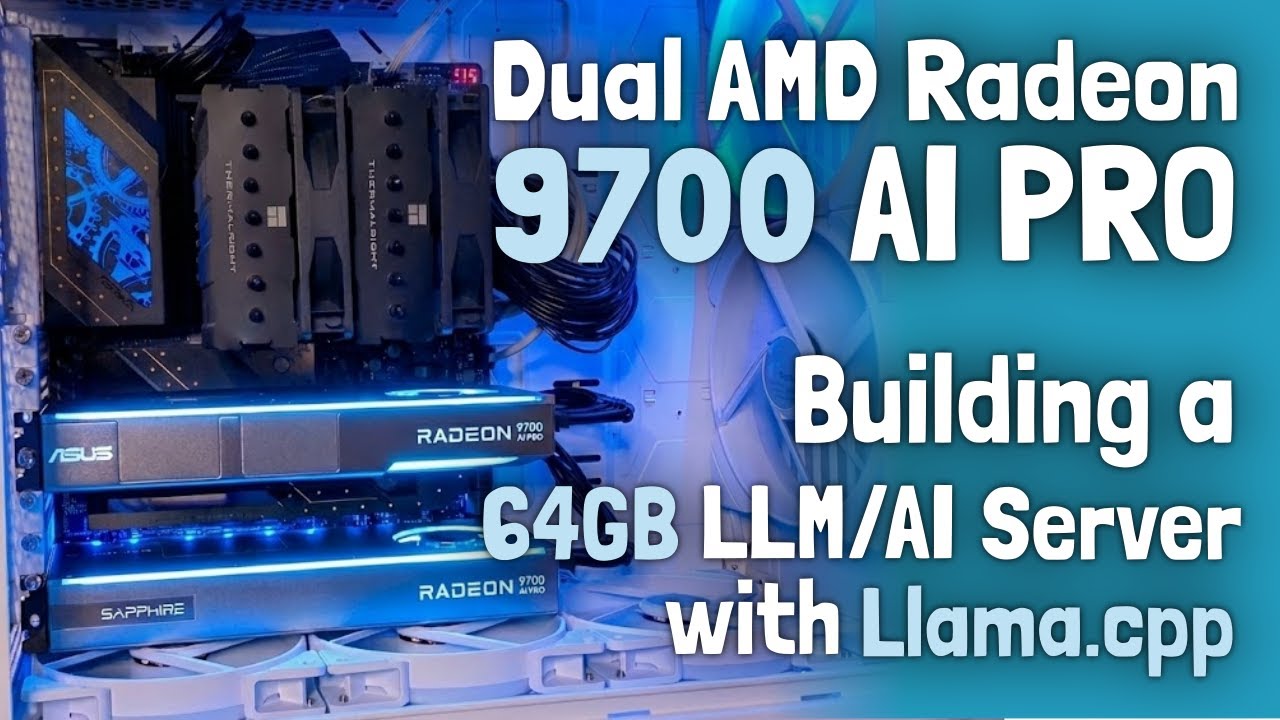
## Watch the YouTube Video
[](https://youtu.be/dgyqBUD71lg)
2025-12-06 10:29:56 +00:00
## 🚀 Quick Start
2025-11-30 08:06:04 +00:00
2025-12-06 10:29:56 +00:00
### 1. Create a Toolbox
**Which backend to choose?**
* * *Vulkan (RADV)**: Recommended for **stability** . It works reliably with almost all models.
* * *ROCm**: Recommended for **maximum performance** .
* *Note* : Multiple ROCm versions are available (e.g., 6.4.4, 7.1, 7.9). Performance can vary significantly depending on the model architecture (e.g., Llama vs. Qwen). **Check the [Benchmarks](https://kyuz0.github.io/amd-r9700-ai-toolboxes/)** to find the best version for your model.
2025-11-30 08:06:04 +00:00
2025-12-06 10:29:56 +00:00
**Option A: Vulkan (RADV) [Recommended]**
```bash
2025-11-30 08:06:04 +00:00
toolbox create llama-vulkan-radv \
--image docker.io/kyuz0/amd-r9700-toolboxes:vulkan-radv \
-- --device /dev/dri --group-add video --security-opt seccomp = unconfined
```
2026-02-27 14:49:24 +00:00
**Option B: ROCm (7.2)**
2025-12-06 10:29:56 +00:00
```bash
2026-02-27 14:49:24 +00:00
toolbox create llama-rocm-7.2 \
--image docker.io/kyuz0/amd-r9700-toolboxes:rocm-7.2 \
2025-11-30 08:06:04 +00:00
-- --device /dev/dri --device /dev/kfd \
--group-add video --group-add render --group-add sudo --security-opt seccomp = unconfined
```
2025-12-06 10:29:56 +00:00
> **Ubuntu Users**: `toolbox` may have issues with GPU access. Use [Distrobox](https://github.com/89luca89/distrobox) instead. See [Detailed Guide](#ubuntu-users-distrobox) below.
2025-11-30 08:06:04 +00:00
2025-12-06 10:29:56 +00:00
### 2. Enter the Toolbox
```bash
2025-11-30 08:06:04 +00:00
toolbox enter llama-vulkan-radv
2026-02-27 14:49:24 +00:00
# or: toolbox enter llama-rocm-7.2
2025-11-30 08:06:04 +00:00
```
2025-12-06 10:29:56 +00:00
### 3. Download a Model
2025-11-30 08:06:04 +00:00
2025-12-06 10:29:56 +00:00
**Option A: Manual Download (Recommended)**
Use the `hf` tool to download the model GGUF files to a local directory.
2025-11-30 08:06:04 +00:00
```bash
2025-12-06 10:29:56 +00:00
# Download to models/qwen3-coder-30B-A3B/
HF_HUB_ENABLE_HF_TRANSFER = 1 hf download unsloth/Qwen3-Coder-30B-A3B-Instruct-GGUF \
2025-11-30 08:06:04 +00:00
BF16/Qwen3-Coder-30B-A3B-Instruct-BF16-00001-of-00002.gguf \
2025-12-06 10:29:56 +00:00
--local-dir .
2025-11-30 08:06:04 +00:00
```
2025-12-06 10:29:56 +00:00
**Multi-shard Models:**
If a model is split into multiple files (e.g., `00001-of-00005.gguf` ), you must download **all** shards to the same folder. The command above ensures all parts are downloaded.
2025-11-30 08:06:04 +00:00
2025-12-06 10:29:56 +00:00
> [!NOTE]
> The old `huggingface-cli` is deprecated. Use the modern `hf` tool (part of `huggingface_hub`).
2025-11-30 08:06:04 +00:00
2025-12-06 10:29:56 +00:00
**Option B: Automatic Download (via llama.cpp)**
`llama.cpp` can automatically download models from the Hugging Face Hub to its internal cache (`~/.cache/huggingface/hub` ).
2025-11-30 08:06:04 +00:00
2025-12-06 10:29:56 +00:00
```bash
# Automatically download and run
llama-cli -hf unsloth/Qwen3-Coder-30B-A3B-Instruct-GGUF -hf-file BF16/Qwen3-Coder-30B-A3B-Instruct-BF16-00001-of-00002.gguf ...
2025-11-30 08:06:04 +00:00
```
2025-12-06 10:29:56 +00:00
*Note: We prefer Option A (dedicated folder) to keep things organized, but Option B is great for quick tests.*
2025-11-30 08:06:04 +00:00
2025-12-06 10:29:56 +00:00
### 4. Run a Model
2025-11-30 08:06:04 +00:00
2025-12-06 10:29:56 +00:00
> [!TIP]
> You should **always** use `-fa 1` (Flash Attention). This significantly improves performance and memory utilization on the R9700.
2025-11-30 08:06:04 +00:00
2025-12-06 10:29:56 +00:00
Use ** `llama-cli` ** for running models directly in your terminal—ideal for quick tests, benchmarking, or chatting without leaving the shell.
2025-11-30 08:06:04 +00:00
2025-12-06 10:29:56 +00:00
Use ** `llama-server` ** to start an OpenAI-compatible API server. This allows you to connect third-party UIs (like Open WebUI), use the built-in web interface, or build your own applications using standard libraries.
2025-11-30 08:06:04 +00:00
2025-12-06 10:29:56 +00:00
**Run it (CLI Chat):**
2025-11-30 08:06:04 +00:00
```bash
2025-12-06 10:29:56 +00:00
llama-cli -ngl 999 -fa 1 \
-m models/qwen3-coder-30B-A3B/BF16/Qwen3-Coder-30B-A3B-Instruct-BF16-00001-of-00002.gguf \
-p "Write a R9700 toolkit haiku."
2025-11-30 08:06:04 +00:00
```
2025-12-06 10:29:56 +00:00
**Or run as Server (API + Web UI):**
2025-11-30 08:06:04 +00:00
```bash
2025-12-06 10:29:56 +00:00
llama-server -m models/qwen3-coder-30B-A3B/BF16/Qwen3-Coder-30B-A3B-Instruct-BF16-00001-of-00002.gguf \
-c 8192 -ngl 999 -fa 1
2025-11-30 08:06:04 +00:00
```
---
2025-12-06 10:29:56 +00:00
## 📖 Detailed Guide
2025-11-30 08:06:04 +00:00
2025-12-06 10:29:56 +00:00
### Managing Toolboxes
2025-11-30 08:06:04 +00:00
2025-12-06 10:29:56 +00:00
#### Ubuntu Users (Distrobox)
If you are on Ubuntu, use Distrobox to ensure proper GPU access:
```bash
2026-02-27 14:49:24 +00:00
distrobox create -n llama-rocm-7.2 \
--image docker.io/kyuz0/amd-r9700-toolboxes:rocm-7.2 \
2025-11-30 08:06:04 +00:00
--additional-flags "--device /dev/kfd --device /dev/dri --group-add video --group-add render --security-opt seccomp=unconfined"
2026-02-27 14:49:24 +00:00
distrobox enter llama-rocm-7.2
2025-11-30 08:06:04 +00:00
```
2025-12-06 10:29:56 +00:00
#### Updating Toolboxes
To pull the latest images and recreate your toolboxes (useful when Llama.cpp updates):
2025-11-30 08:06:04 +00:00
```bash
2025-12-06 10:29:56 +00:00
# Refresh all toolboxes
2025-11-30 08:06:04 +00:00
./refresh-toolboxes.sh all
2025-12-06 10:29:56 +00:00
# Or refresh specific ones
2026-02-27 14:49:24 +00:00
./refresh-toolboxes.sh llama-vulkan-radv llama-rocm-7.2
2025-11-30 08:06:04 +00:00
```
2025-12-06 10:29:56 +00:00
## 📦 Architecture & Containers
2025-11-30 08:06:04 +00:00
2025-12-06 10:29:56 +00:00
### Backends
* **Vulkan** : Cross-platform, very stable.
* **RADV (Mesa)** : Best compatibility.
* **AMDVLK** : Official AMD driver. Faster in some cases but has a strict 2GB single buffer limit (some large models won't load).
* **ROCm** : AMD's compute stack (CUDA-like).
2025-11-30 08:06:04 +00:00
2025-12-06 10:29:56 +00:00
### Supported Container Images
Images are hosted on [Docker Hub ](https://hub.docker.com/r/kyuz0/amd-r9700-toolboxes/tags ) and automatically rebuilt on Llama.cpp updates.
2025-11-30 08:06:04 +00:00
2025-12-06 10:29:56 +00:00
| Tag | Backend | Notes |
| :--- | :--- | :--- |
2026-02-27 14:49:24 +00:00
| `vulkan-radv` | Vulkan (Mesa RADV) | Most stable and compatible. Recommended for most users and all models. |
| `vulkan-amdvlk` | Vulkan (AMDVLK) | Fastest backend—AMD open-source driver. ≤2 GiB single buffer allocation limit, some large models won't load. |
| `rocm-6.4.4` | ROCm 6.4.4 (Fedora 43) | Latest stable 6.x build. Uses Fedora 43 packages with backported patch for kernel 6.18.4+ support. |
| `rocm-7.2` | ROCm 7.2 | Latest stable 7.x build. Includes patch for kernel 6.18.4+ support. |
| `rocm7-nightlies` | ROCm 7 Nightlies | Nightly build for ROCm 7. |
2025-11-30 08:06:04 +00:00
2025-12-06 10:29:56 +00:00
## ⚡ Performance & Planning
2025-11-30 08:06:04 +00:00
2025-12-06 10:29:56 +00:00
### Benchmarks
Check the [Interactive Benchmark Viewer ](https://kyuz0.github.io/amd-r9700-ai-toolboxes/ ) or [docs/benchmarks.md ](docs/benchmarks.md ) to see performance numbers.
2025-11-30 08:06:04 +00:00
2025-12-06 10:29:56 +00:00
### VRAM Estimator
Use the included script to estimate memory usage for models + context. This helps avoid OOM errors.
2025-11-30 08:06:04 +00:00
```bash
2025-12-06 10:29:56 +00:00
gguf-vram-estimator.py models/my-model.gguf --contexts 4096 32768
2025-11-30 08:06:04 +00:00
```
2025-12-06 10:29:56 +00:00
See [docs/vram-estimator.md ](docs/vram-estimator.md ) for more details.
2025-11-30 08:06:04 +00:00
2025-12-06 10:29:56 +00:00
## References
2025-11-30 08:06:04 +00:00
2025-12-06 10:29:56 +00:00
* [Llama.cpp GitHub Repository ](https://github.com/ggerganov/llama.cpp )
* [AMD RDNA™ 4 Architecture ](https://www.amd.com/en/products/graphics/rdna-architecture.html )
